Info
Windows Subsystem for Android™️ (WSA) allows to install and use Android apps on Windows.
Unfortunately, Microsoft is discontinuing support for the WSA. Therefore, the Amazon Appstore on Windows and all applications and games dependent on WSA will no longer be supported starting March 5, 2025.
Thanks to the dedicated community, there is already a solution to continue using WSA, namely with the Google Play Store instead of the Amazon Appstore.
Before installing the new version of WSA, the old official version from the Microsoft Store must be uninstalled.
Install WSA
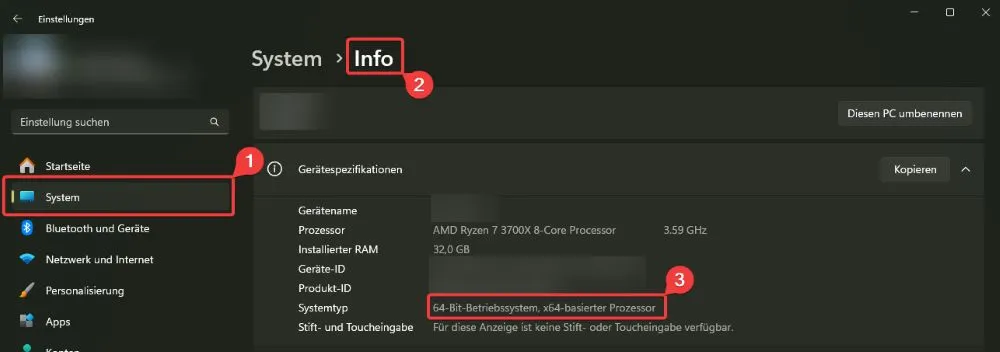
Check system type in Windows settings:
Steps
- Download the zip file (WSA_XXXX.XXXXX.X.X_systemtype_Release-Nightly-MindTheGapps-XX.X-RemovedAmazon.7z)
- Unzip (e.g.: to "C:\users\%yourUsername%\WSA")
- Optional: Zip file can be deleted after unzipping
- Open the unzipped folder and double click on "Run.bat"
- Confirm administrator rights
- Close the window when "All Done! Press any key to exit"
- In the dialog: "Optional Diagnostic Data" click on "Next". (Multiple of these dialogs are no problem, just click on "Next" every time)
Google Play Store
A Google account is required to install Android apps. If the Google Play Store is not opened after installation of WSA, it can also be opened manually. After opening the Google Play Store, a login with a Google account is requested. If the login was successful, Android apps can now be installed.
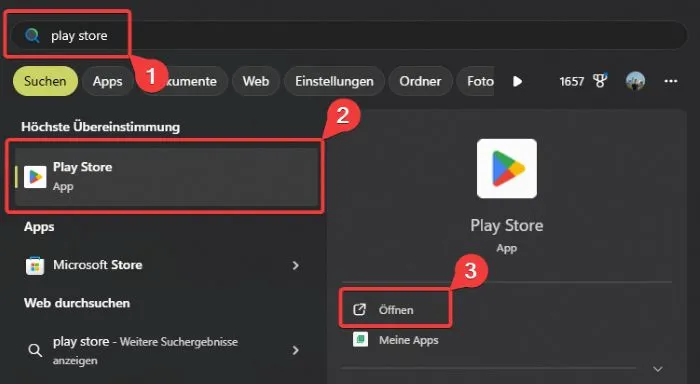
Opening an Android app via the Windows search
Press Windows key and type the name of the app (e.g.: "Play Store"):
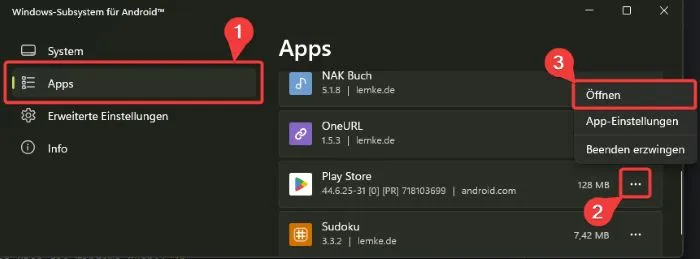
Opening an Android app via the WSA settings
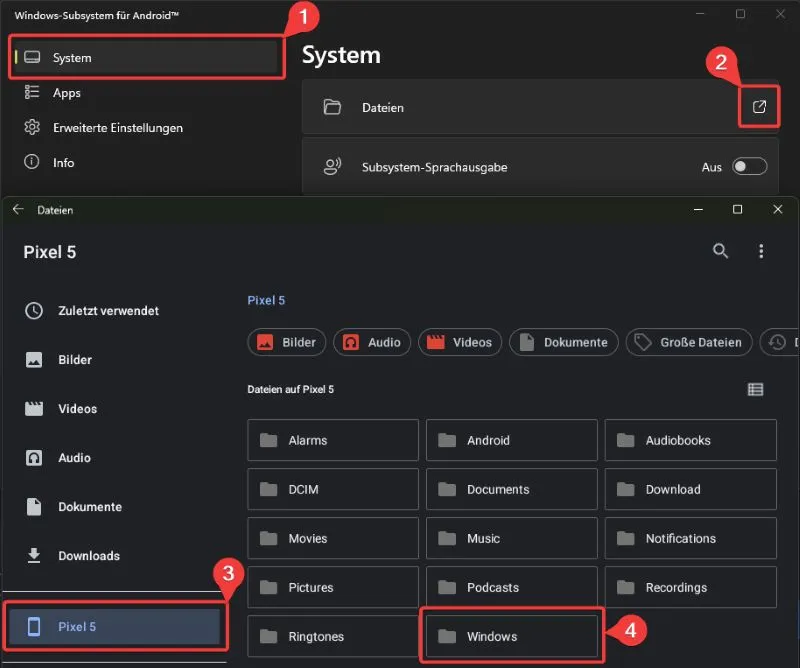
Access Windows Files in WSA
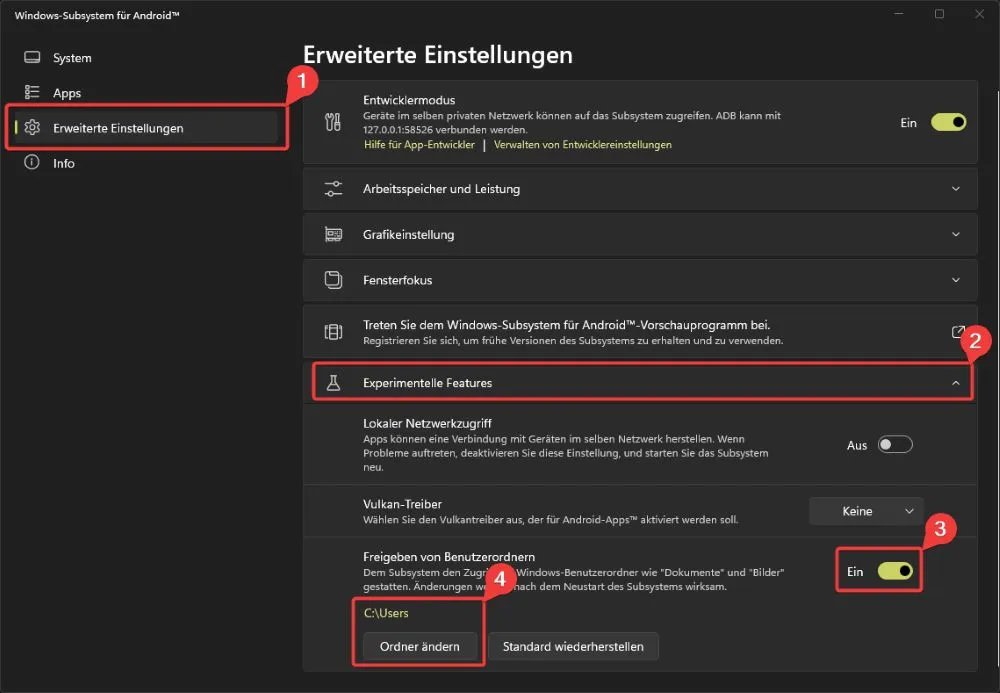
It is possible to access files of the Windows system within the WSA. To do this, access to a Windows folder must be enabled in the WSA settings.
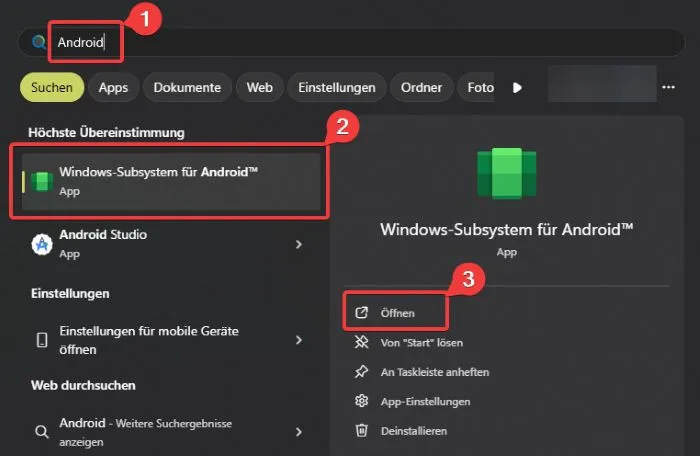
Open WSA settings
Press Windows key and type "Android":
Select a folder for access within the WSA
Step 4 is optional:
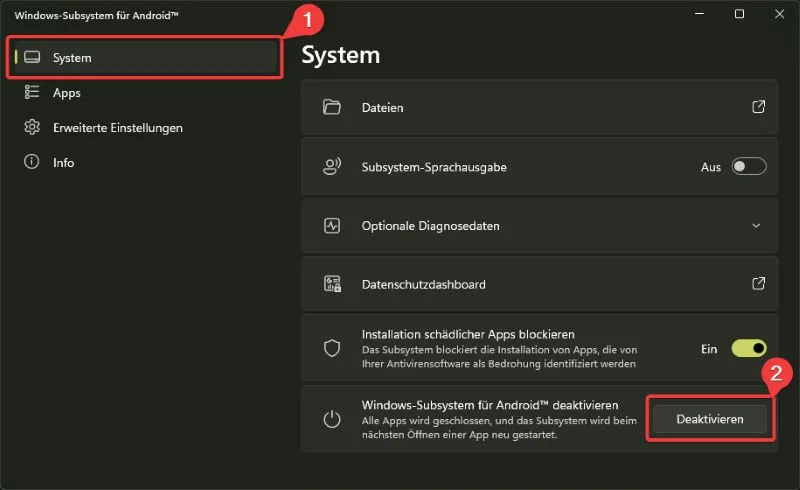
Restart WSA
This step closes the WSA and all running Android apps. Once an Android app is opened again, the WSA will automatically restart:
Access Windows files in WSA:
Links
Note: The use and installation of WSA is at your own risk. No liability is assumed for damages. Most of the time the problem sits in front of the screen.
Android is a trademark of Google LLC. Windows™ and Windows Subsystem for Android™ are trademarks of Microsoft LLC.